Goal
Observe collision using only editor-created Blocks. A playable character is optional for initial authoring, but necessary to test Player movement.
1. Prepare the World
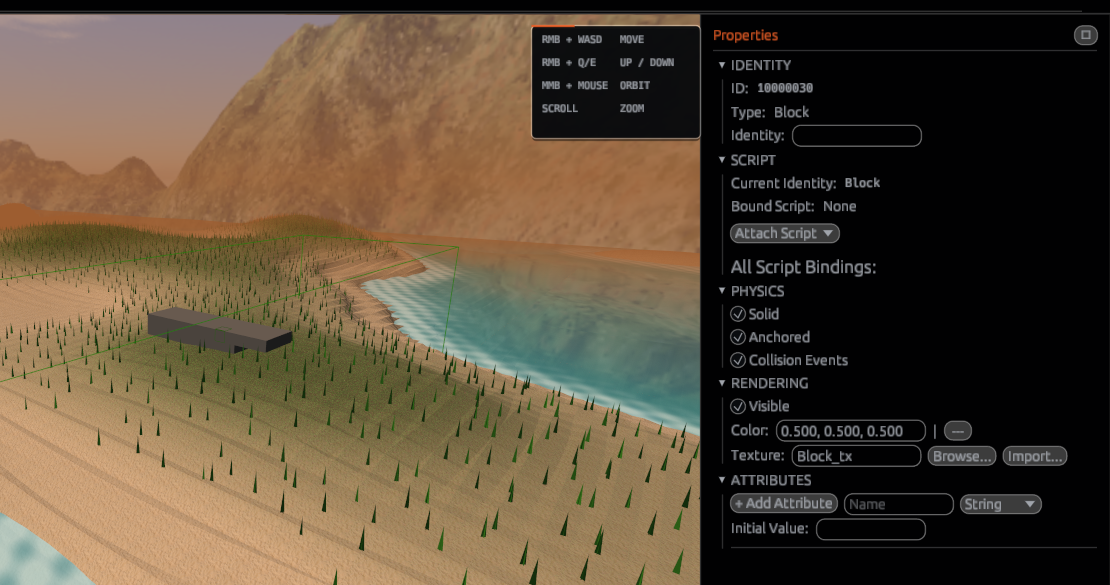
Create a wide floor from solid Blocks and a smaller Block above it. Use the Inspector to compare solid, anchored and available gravity/physics controls. A floor should remain fixed; an unanchored dynamic object can be affected by gravity when that object type supports simulation.
2. Run one controlled test
Save, enter Play and compare the object state. Stop Play, adjust just one setting, and test again. Keep the floor anchored; do not change every property at once. A configured Player is needed to verify walking contact.
Screenshot 28: assets/docs/tutorials/28-physics-play-test.png — before and after Play.
3. Contact callbacks
Cells and Actors can support contact-related callbacks in compatible Play configurations. Use Events to determine whether a touch or overlap event fits your goal. When only the Player should activate an object, inspect the touching entity and compare it to the Player.
Checkpoint
Identify which object blocks movement, which remains fixed and which can move dynamically. An object's visible shape does not by itself prove a collider is configured.
Next: Physics and Physics API.