Experimental lighting — BETA
Worldkiln's normal lighting, shadows and sky are separate from experimental global illumination and shadow research settings. The existing lighting workflow remains available without enabling experimental controls.
Use the established workflow first
Place a Light or adjust a supported World lighting setting, then test the scene from the editor and Play. Review Lighting before changing any experimental rendering options.
Inspect experimental settings
In builds that expose Settings → Lighting, the experimental workspace can show GI, shadow and quality-related options. Legacy lighting remains the default in the reviewed development source. Some settings may be unavailable, nonfunctional, applied on restart or only meaningful for debugging. Never assume every visible option changes the rendered result immediately.
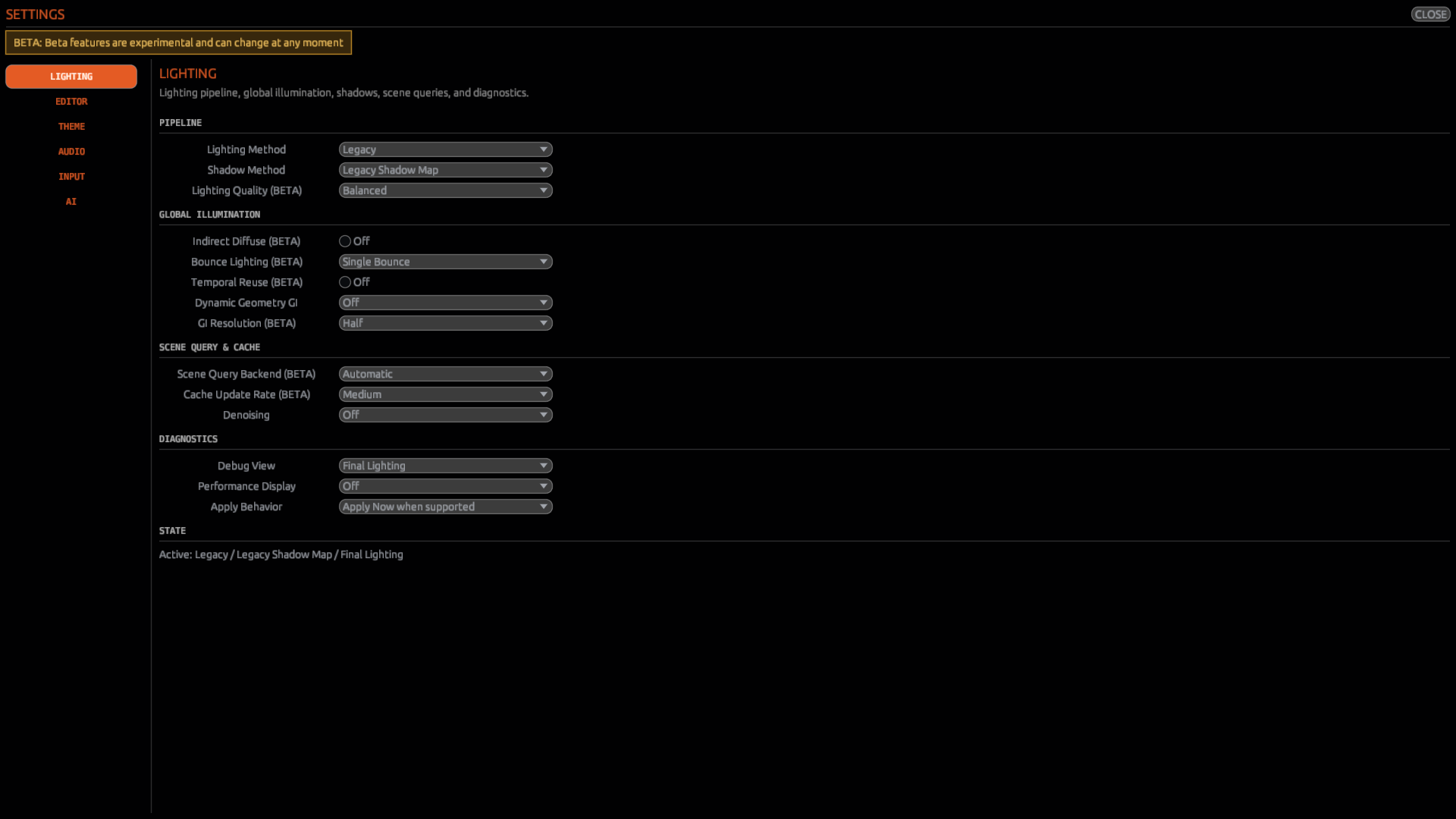
Try one setting at a time
Record the initial values, change a single supported control, follow the interface's Apply/restart instructions, and compare an otherwise unchanged scene. If the result is unclear, return to the established defaults rather than stacking multiple experimental changes.
Checkpoint
You can distinguish existing Lights and Shadows from experimental methods. This Beta guide does not promise production-ready GI, stable performance or any future renderer feature.